Last night I published my first iOS app.
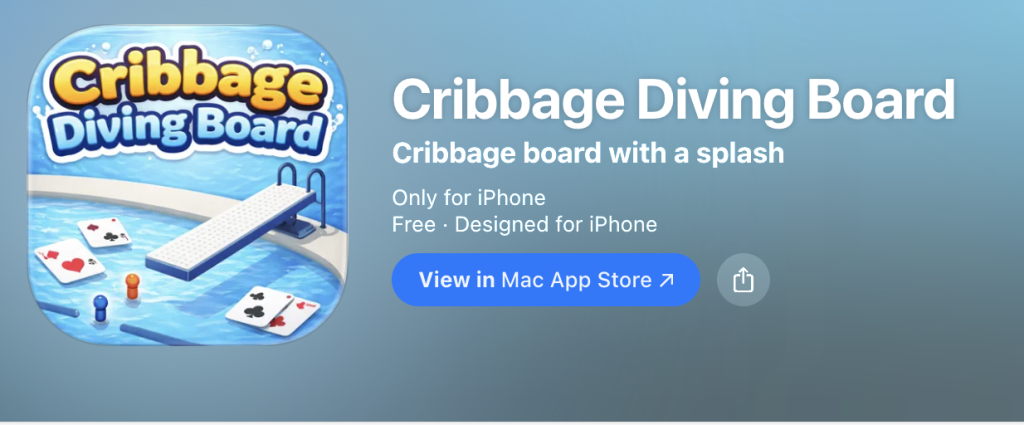
https://apps.apple.com/us/app/cribbage-diving-board/id6758800505
Its called Cribbage Diving Board.
The app itself is pretty simple. Its basically a scoreboard for cribbage. But the point of the project wasn’t really the app. It was the process. I wanted to learn how the whole Apple ecosystem works from start to finish. Setting up Xcode, building something with SwiftUI, and actually getting something through the App Store review process.
Cribbage seemed like a good place to start since its one of my favorite games.
I’ve played cribbage for years. Of course my grandma taught me how to play but has since turned into a favorite game with my family and friends. Something about the scoring and the rhythm of the board just sticks with you. So building a digital cribbage board felt like a fun little experiment.
Getting Started with Xcode
The first step was just getting comfortable inside Xcode.
Most of my programming background is in Python. Backend work. Cloud stuff. APIs. A lot of systems that nobody ever really sees. Mobile development feels very different because suddenly everything is visual and interactive.
SwiftUI especially took a bit to wrap my head around. Its very declarative. You describe what the interface should look like and the system figures out how to render it. At first it felt a little strange. But once things started clicking it was actually pretty fun.
I spent time figuring out how to:
- structure a SwiftUI project
- build reusable views
- manage state changes in the interface
- design a cribbage board layout that actually makes sense on a phone screen
That last part took more thought than I expected. I struggled with different designs and sizes. And decision making on whether to have the user move a slider or the actual peg itself to adjust scoring. A cribbage board has a very physical feel to it. The holes. The movement of pegs. Translating that into something that feels natural on a small screen took many iterations.
Preparing an App for the App Store
Writing the code turned out to be only half the job. Publishing an app involves a surprising number of little steps.
There were things like:
- creating the App Store listing
- designing the app icon (thank you LLM’s)
- generating screenshots for different phone sizes
- setting up bundle identifiers and provisioning profiles
- filling out privacy information
- uploading builds from Xcode into App Store Connect
Each of those steps is simple on its own but together they form this long checklist. I kept discovering one more thing that had to be configured before the next step worked. Its actually a pretty interesting system though. Apple clearly wants every app to pass through the same structured pipeline.
The Review Process
Once the build was uploaded I submitted it for review. Then came the waiting.
After a little while I got my first message from Apple. They had some questions about the app and how it handled a few policy details. Nothing major, but it meant going back into App Store Connect and responding to their questions.
There was a bit of back and forth that took several weeks. Then I got busy with other tasks and my actual job haha. Eventually though the status changed to something every developer hopes to see:
“Review of your submission has been completed. It is now eligible for distribution.”
That was a pretty satisfying moment. Somewhere out there in the massive ocean of apps on the App Store is now this tiny little cribbage app that I built.
Why I Built It
This project wasn’t really about launching a business or trying to build the next big app. It was about learning. Sometimes the best way to understand a system is to just build something small and push it all the way through. From idea to finished product.
By the time this was done I had walked through the entire process:
writing the code
building the interface
configuring the app for distribution
navigating the review process
and finally publishing it
Most of my work normally lives in backend systems and cloud infrastructure. Things that run quietly in the background. So it was actually refreshing to build something very tangible. Something people can open on their phone and immediately use. And of course it helped that the theme was cribbage.
Final Thoughts
If you’ve a developer and have ever thought about publishing an app, I’d recommend trying it at least once. Even if the app is small. You learn a lot about how software actually gets delivered to people. Not just the coding part but the whole ecosystem around it. For me this was mostly a learning project. But who knows. It hopefully won’t be the last app I build!